Zero-trustPeer-to-peerHome Assistant native

Your home,
securely
within reach.

HomeTunnel gives you secure remote access to Home Assistant and your connected home devices without exposing your network to the internet. It creates a private, identity-based tunnel between your home and your approved devices, using a zero-trust architecture with per-home isolation, authenticated access, and always-on peer-to-peer connectivity. No port forwarding, no shared networks, no complex setup.

Start for free
No port forwarding
No exposed IP
HA Add-on available
Direct peer-to-peer · WireGuard encrypted
HomeTunnel relay(fallback only)Your deviceHome Assistant:8123
Direct P2P. Your traffic never sits on our servers.relay used only when NAT blocks direct
Built on battle-tested foundations
NetBird zero-trust backend
WireGuard® P2P encryption
True zero-trust architecture
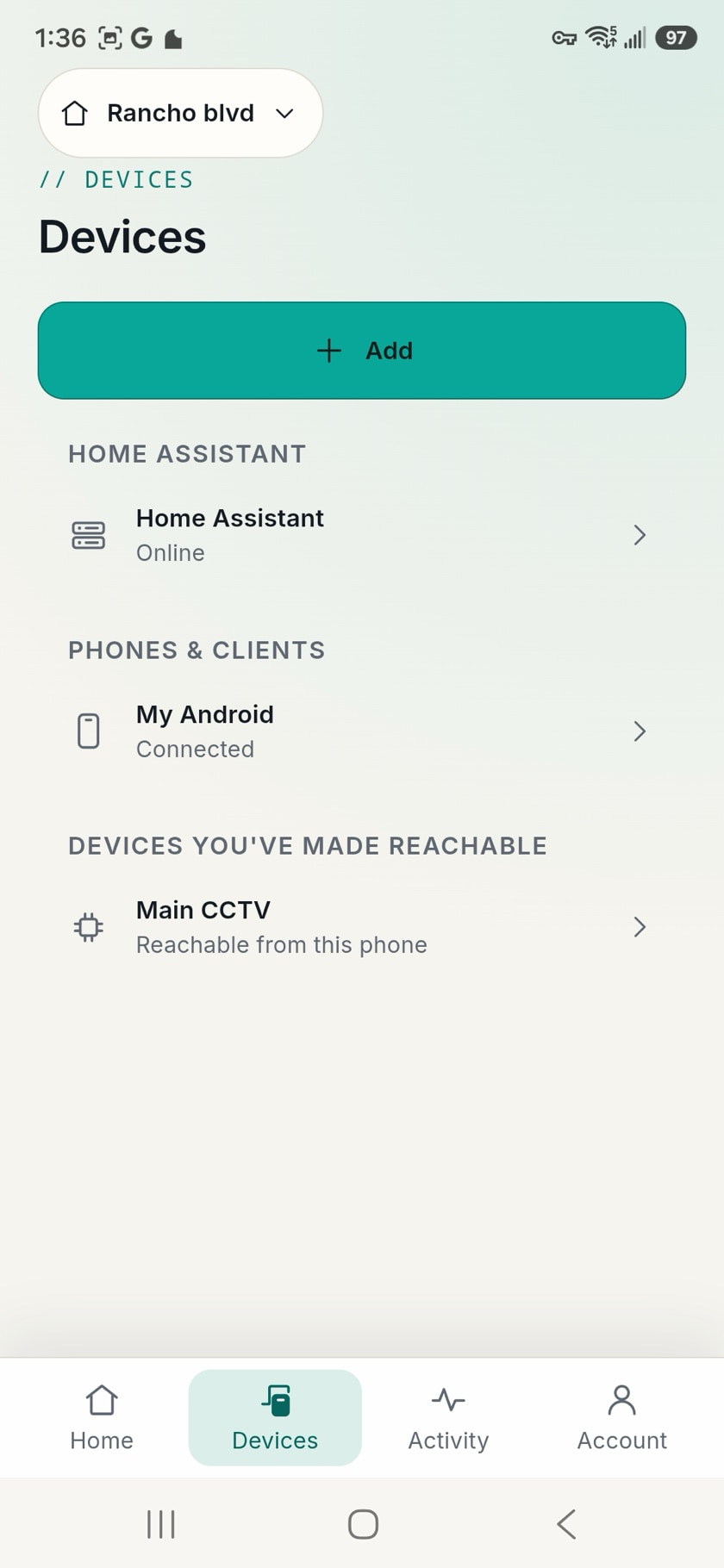
Home Assistant Add-on
iOS & Android

From setup to secure access
in four steps.

HomeTunnel handles the networking. You handle what matters.

01

Create your home

Sign in and start with a guided setup flow. No networking knowledge needed — we walk you through every step in plain language.

02

Enroll Home Assistant

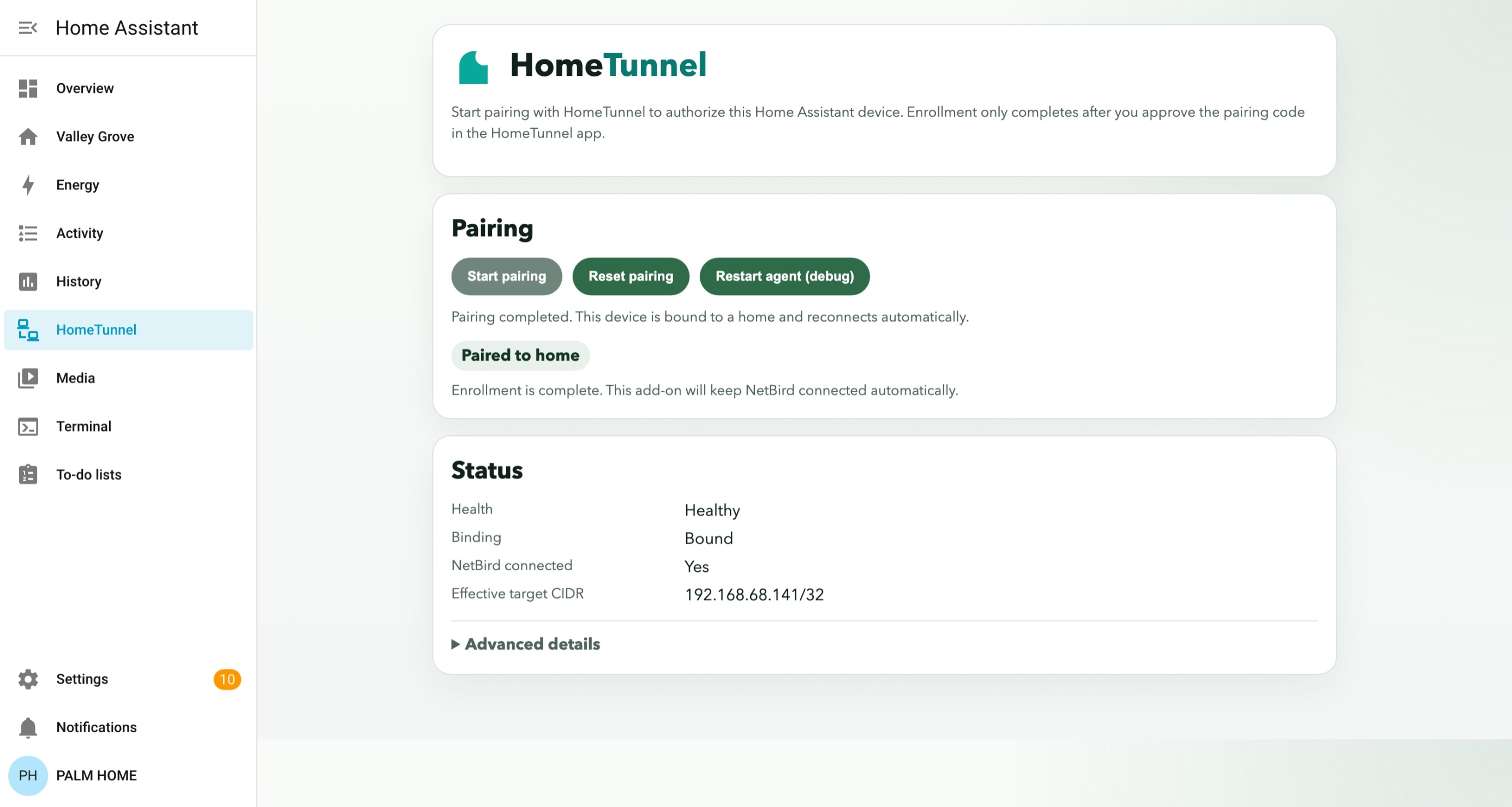
Install the HomeTunnel add-on directly from the Home Assistant add-on store. One pairing flow, and your home is enrolled with a verified identity.

03

Tunnel in securely

HomeTunnel establishes a true peer-to-peer WireGuard connection. No traffic routed through third-party servers. Graceful relay fallback only when networks require it.

04

Manage every home

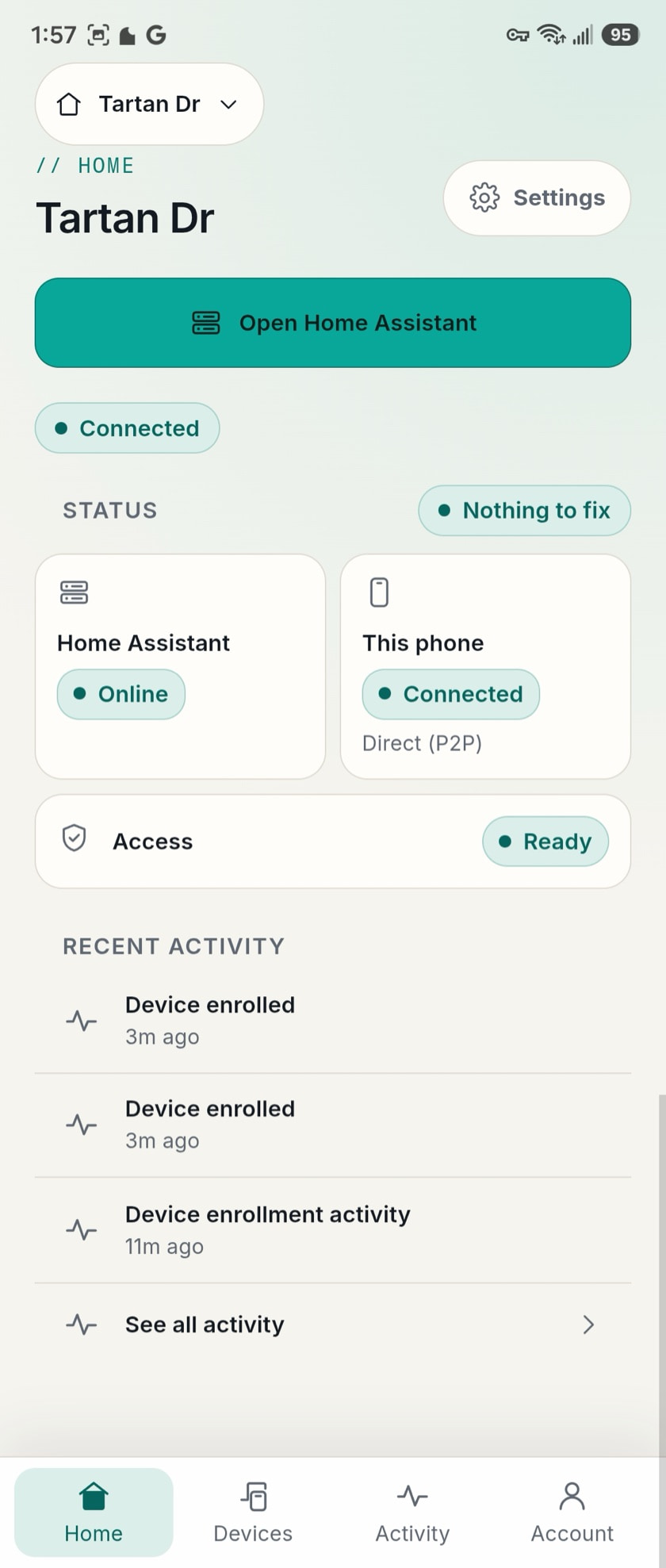
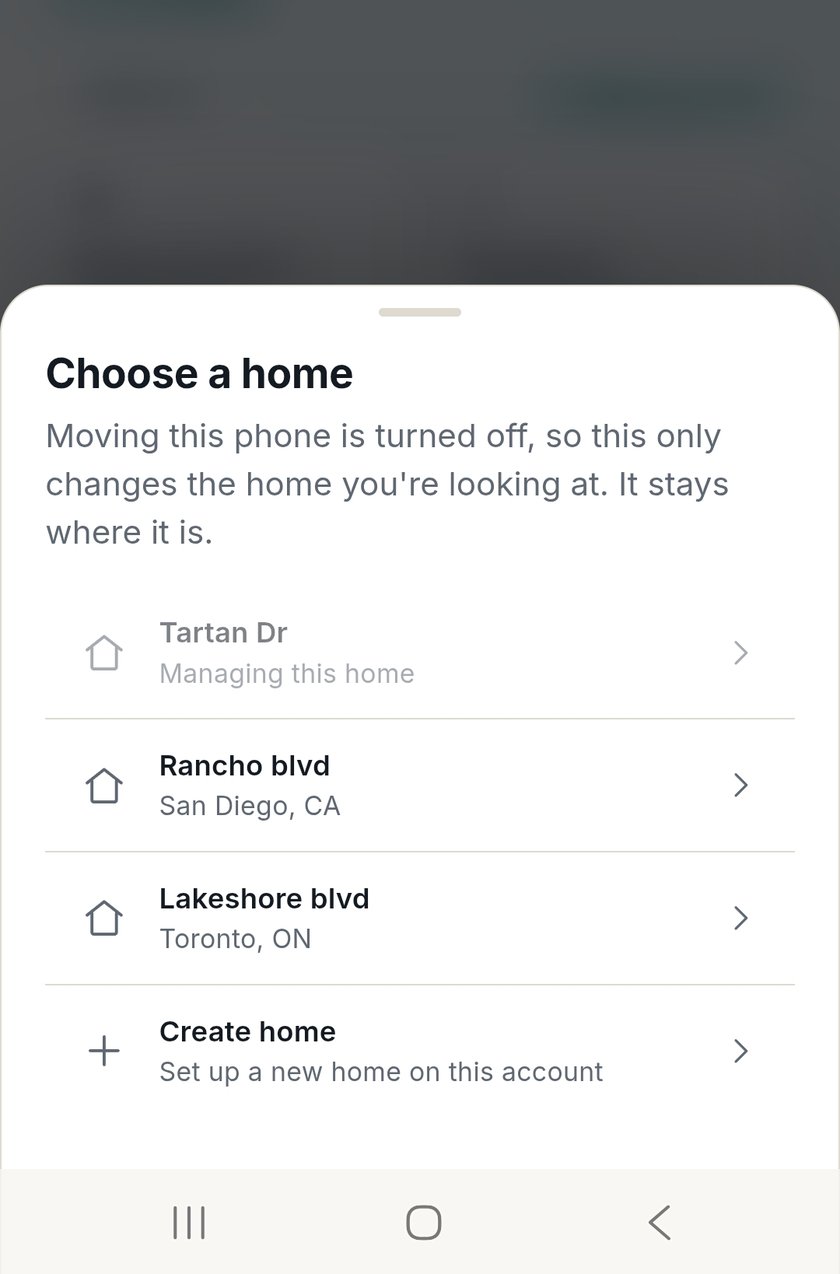
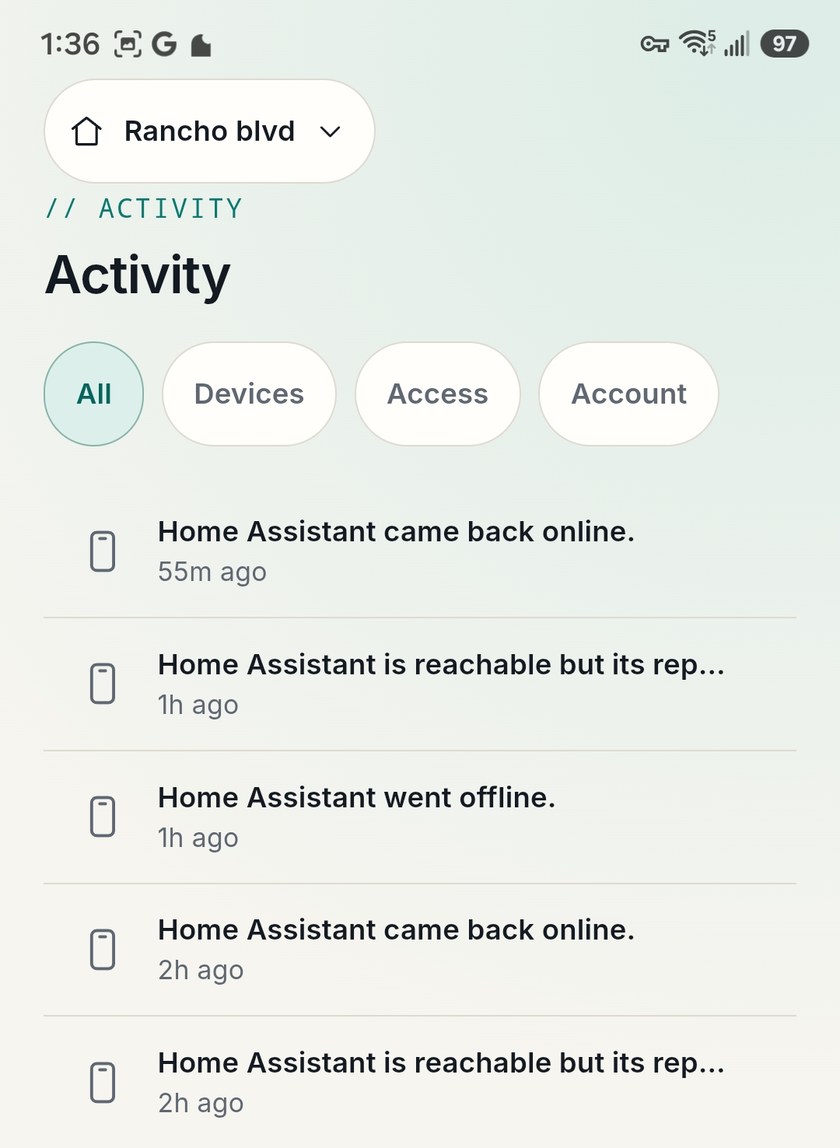
Tap into each home from iOS or Android. Switch between properties, share access securely, and manage everything from a single dashboard designed around clarity.

Zero-trust is not a
marketing term here.

Most “secure” remote access options expose your home to the internet in some form. HomeTunnel enforces a layered architecture where no component can be bypassed — identity, policy, and routing are all enforced independently.

Group layer
defines identity boundaries between devices
identity
Policy layer
enforces allowed communication paths only
policy
Route layer
exposes exactly one /32 target per home
routing
Distribution chain
prevents direct exposure to internet
isolation
Client
your device · identity verified
Access policy
group + policy check
Distribution peer
no direct internet exposure
Routing peer
single /32 target only
Home Assistant · port 8123
never directly exposed
Why this matters
No peer can communicate outside its permitted group. No step in the chain can be skipped. Your home is never addressable from the internet.

What we commit to —
in plain language.

These aren't aspirations. They're architectural guarantees enforced by how HomeTunnel is built.

Your keys never leave your device.

WireGuard private keys are generated and stored on your device only. HomeTunnel never sees, stores, or transmits them.

We never see your traffic.

Peer-to-peer means your data flows directly between your devices. No HomeTunnel server sits in the middle.

You're never locked out.

If HomeTunnel goes down, existing peer-to-peer connections persist. Your home stays reachable.

Free means free, not “you are the product.”

We make money when you upgrade for more homes and features. No ads, no data sales, no tracking.

Your homes are invisible to each other.

Per-home isolation means a compromised device in one home can't reach another. Homes never share trust domains.

We'll tell you when things go wrong.

We're committed to a public status page and transparent incident communication. No silent failures.

What HomeTunnel
cannot do.

Showing what we can't access is as important as showing what we protect. These aren't limitations — they're guarantees.

Can't see your trafficConnections are peer-to-peer. We have no server in the data path.
Can't access your Home AssistantYour WireGuard keys live on your devices only. We never hold them.
Can't see your home network devicesHost-only /32 routing means we expose one endpoint, not your subnet.
Can't persist access if you revoke a deviceRevocation from the portal is instant. No propagation delay, no grace period.

Every other option asks you
to make a compromise.

We built HomeTunnel because no existing tool is designed for home users who want real security without giving up usability.

Port forwarding / Reverse proxy

Exposed & fragile

The path of least resistance — with real consequences.

  • Easy to set up initially
  • Your home IP is publicly visible
  • Breaks when your ISP rotates your IP
  • Requires constant router maintenance
  • No identity layer — anyone can attempt access
  • Every exposed service widens your attack surface
Nabu Casa Cloud

Easy, relay-only

The official option — convenient, but built around a single relay.

  • One-click sign-up, deep HA integration
  • Subscription funds Home Assistant development
  • Relay-only — every byte hops through their cloud
  • Slower for cameras and video streams
  • Single-home oriented — no multi-property model
  • No HomeKit remote bridge
  • Closed cloud — you can't self-host or audit it
Tailscale / Cloudflare Tunnel

Powerful but generic

Excellent general-purpose tools — not designed around homes.

  • No exposed ports
  • End-to-end encrypted, P2P where possible
  • Whole tailnet exposed by default — isolation requires ACL config
  • Needs a client on every device you want reachable — cameras, TVs included
  • Treats Home Assistant as just another node — no HA-specific workflows
  • No multi-home management UX

We respect Nabu Casa.
Here's where we go further.

Home Assistant Cloud is the official remote access service from the team behind HA. It's $6.50/month or $65/year, it funds Home Assistant development directly, and for many homes it's the right answer. HomeTunnel is built for the homes that need more.

Direct, not relayed

Nabu Casa routes every byte through their cloud. HomeTunnel uses WireGuard to connect your phone directly to your home, falling back to an encrypted relay only when NAT prevents it. For a dashboard, the difference is small. For 4K cameras, video doorbells, and live media, a direct path wins on sustained throughput and latency — even against their WebRTC streaming.

One account, every home

Nabu Casa is per-instance: a separate subscription for the cottage, the in-laws' setup, the family member whose HA you maintain. HomeTunnel manages multiple homes from one account, each isolated from the others by default. Add or remove a home in seconds — no extra subscription per address.

HomeKit, finally remote

Apple HomeKit only exposes accessories outside your LAN through an Apple Home Hub, and only inside Apple's ecosystem. The HomeTunnel HomeKit bridge (coming soon) lets you reach HA-published HomeKit devices from anywhere, on any platform. Nabu Casa doesn't address this at all.

One honest objection: a Nabu Casa subscription funds Home Assistant, and that matters. If you switch, you can keep that support flowing — the Open Home Foundation accepts direct donations. The work doesn't stop being worth funding just because your remote access tool changed.

Home Assistant Add-on

Native Home Assistant integration.
Install it in 60 seconds.

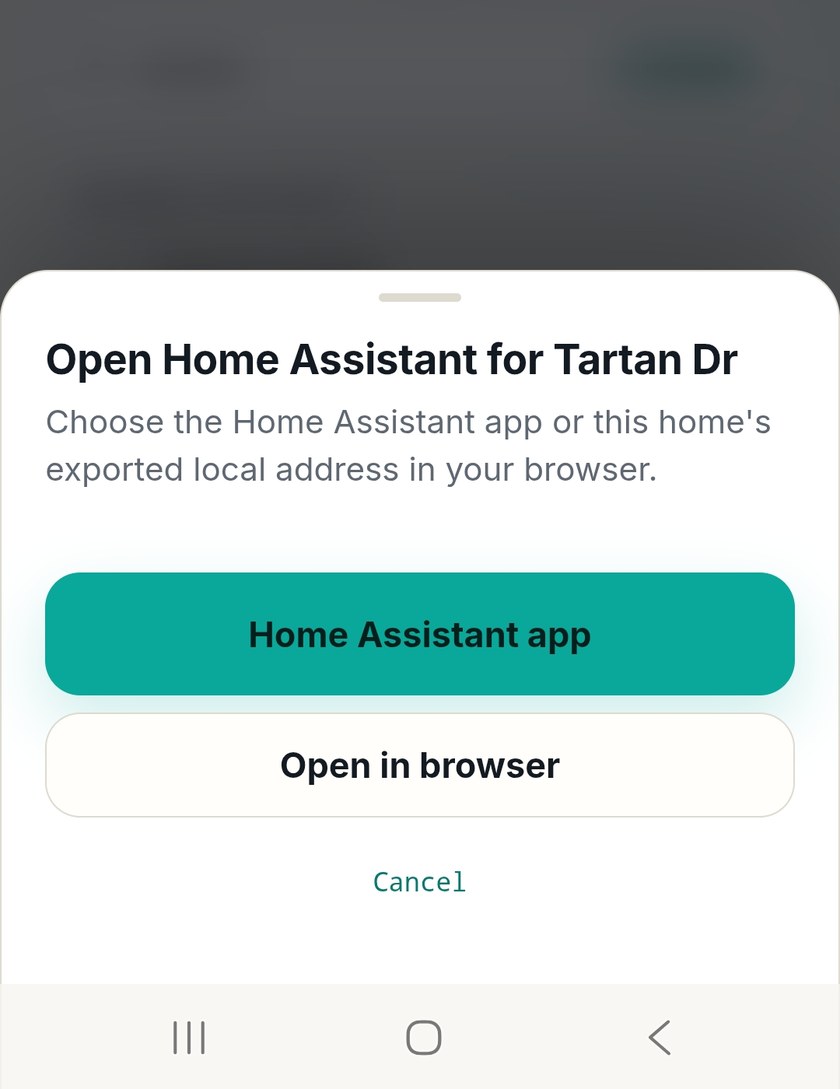
The HomeTunnel add-on is available directly from the Home Assistant add-on store. No terminal, no config files, no manual setup. Install, paste your pairing code from the portal, and your home is enrolled and secured.

Home Assistant OS
Get the add-on

Questions a skeptic
should ask.

If you're trusting a service with access to your home, you deserve straight answers.

Can HomeTunnel employees access my home?
No. WireGuard private keys are generated on your device and never leave it. HomeTunnel has no mechanism to decrypt your traffic or connect to your Home Assistant instance. This is an architectural guarantee, not a policy choice.
What if HomeTunnel gets hacked?
HomeTunnel is built with security first because privacy is central to what we are protecting. The service is designed around zero-trust principles, per-home isolation, authenticated device access, and hardened control-plane services.

For peer-to-peer connections, your traffic does not pass through HomeTunnel servers. We do not store your private keys, and your home network is not exposed directly to the internet. If HomeTunnel infrastructure were compromised, an attacker would not gain access to your home network, your encrypted traffic, or your device keys. Relayed connections may be interrupted if our services are unavailable, but your private data is never stored on our servers.

The only data HomeTunnel infrastructure is designed to handle is control-plane metadata needed to authenticate users, register approved devices, assign devices to the correct home, and coordinate secure connections. This may include account identity, home and device records, connection status, peer identifiers, and routing configuration. It does not include your Home Assistant data, device traffic, private keys, passwords, or the contents of your home network traffic.
What if HomeTunnel shuts down?
HomeTunnel is built to provide reliable, secure remote access for smart homes, and we are dedicated to keeping the service online. Support from both free and paid users helps keep HomeTunnel operating, improving, and growing.

If HomeTunnel services became unavailable, existing peer-to-peer connections may continue temporarily where the connection is already established, but new connections, device enrollment, account access, and connection coordination would require HomeTunnel services to be online. Relayed connections would also depend on relay availability.

Our goal is to build HomeTunnel into a long-term security platform for smart homes. As we grow, we will continue investing in service reliability, security hardening, and clear customer communication if any major service changes are ever required.
Is the free plan really free?
Yes. HomeTunnel makes money when users upgrade for more homes and advanced features — a straightforward freemium model. No ads, no data sales, no usage tracking. Your data is not the product.
How is this different from a VPN?
Traditional VPNs often place your device onto a broader trusted network, which can make more internal resources reachable than intended. HomeTunnel is built around zero-trust access and per-home isolation. Access is granted only to approved devices within that isolated home and limited to explicitly defined services, such as Home Assistant on port 8123.

By default, HomeTunnel routes only to the selected target device and service without exposing the rest of your home network. No broad subnet access. No shared network paths between homes. No default trust just because a device is connected.
What happens if I lose my phone?
Revoke it from the HomeTunnel portal. Access is terminated instantly — no key rotation needed on your other devices, no propagation delay. The lost device simply can't connect anymore.

Simple plans that grow
with your homes.

Start free. Upgrade when you need more homes or advanced features.

Coming soonConnected — multi-home households·Home Hub— power users & families

All plans include peer-to-peer encryption, the Home Assistant add-on, and iOS/Android apps. No traffic routed through HomeTunnel servers.

Secure home access should feel
trustworthy, modern, and simple.

HomeTunnel exists because smart home users deserve a safer option than exposed ports, complicated VPN setups, and fragile remote access configurations. Our mission is to make zero-trust networking practical for real households, including Home Assistant users, families, and power users who want strong security without losing convenience.

We are building HomeTunnel around a simple security model: identity should control access, each home should stay isolated, and remote connectivity should work quietly in the background without constant maintenance.

Built in Toronto, ON · Canada
YouHome Assistant
Encrypted peer-to-peer · reachable from anywhere

Your home deserves
better than open ports.

Join the waitlist and be among the first to get HomeTunnel. Free plan available from day one.

No spam. No credit card. Cancel anytime.